

Landing in Australia with a dead phone is a stressful way to start a trip. The good news? You can sort most of your eSIM setup before you fly, as long as you sequence it correctly. Whether you’re an eSIM Australia tourist, a student, or a new migrant, the trick is knowing what you can buy overseas, what must wait until you are onshore, and when to activate so your plan starts at the right time. In this guide, we’ll walk through prerequisites, phone compatibility, buying an eSIM before you fly, the steps that must wait until you arrive, Australia’s mandatory ID checks, activation timing, and plan start dates. You’ll also learn how to test your connection before leaving the airport, which checklist fits tourists, students, and migrants, plus five common ways travellers end up with a dead phone. If you want a simple option, EzySim offers flexible 30-day prepaid plans, long-term plans with generous data, unlimited Australian calls and texts, and no lock-in contracts. There’s also the Cool Plan: 60GB for 90 days at $39, and a World Travel eSIM covering 170+ countries. Let’s get you connected.
Prerequisites: What to Have Ready Before You Start
Before you buy anything, line up these five things. Most of the setup can happen from overseas, but a gap in any one of them can stall activation after you land.
- An unlocked phone that supports eSIM. Check your exact model against the manufacturer’s own eSIM list, and confirm Australian LTE and 5G band support. Don’t assume it works.
- Passport or government-issued photo ID in the exact name you travel under. Those details go into the prepaid identity check, so keep them consistent.
- Arrival date and a first Australian address, such as a hostel, share house or university residence. Address is one of the details collected and verified before a prepaid service is supplied.
- A payment method that works for an Australian purchase from overseas, plus a reliable way to receive the activation email or QR code. Save both offline.
- A backup plan. Keep your existing SIM active for the flight and note your provider’s support hours in Australian time zones.
Still weighing up options while you gather these? Our guide to choosing a prepaid SIM card in Australia sorts plans by network, length and price.
Will a Travel eSIM for Australia Work in Your Phone?
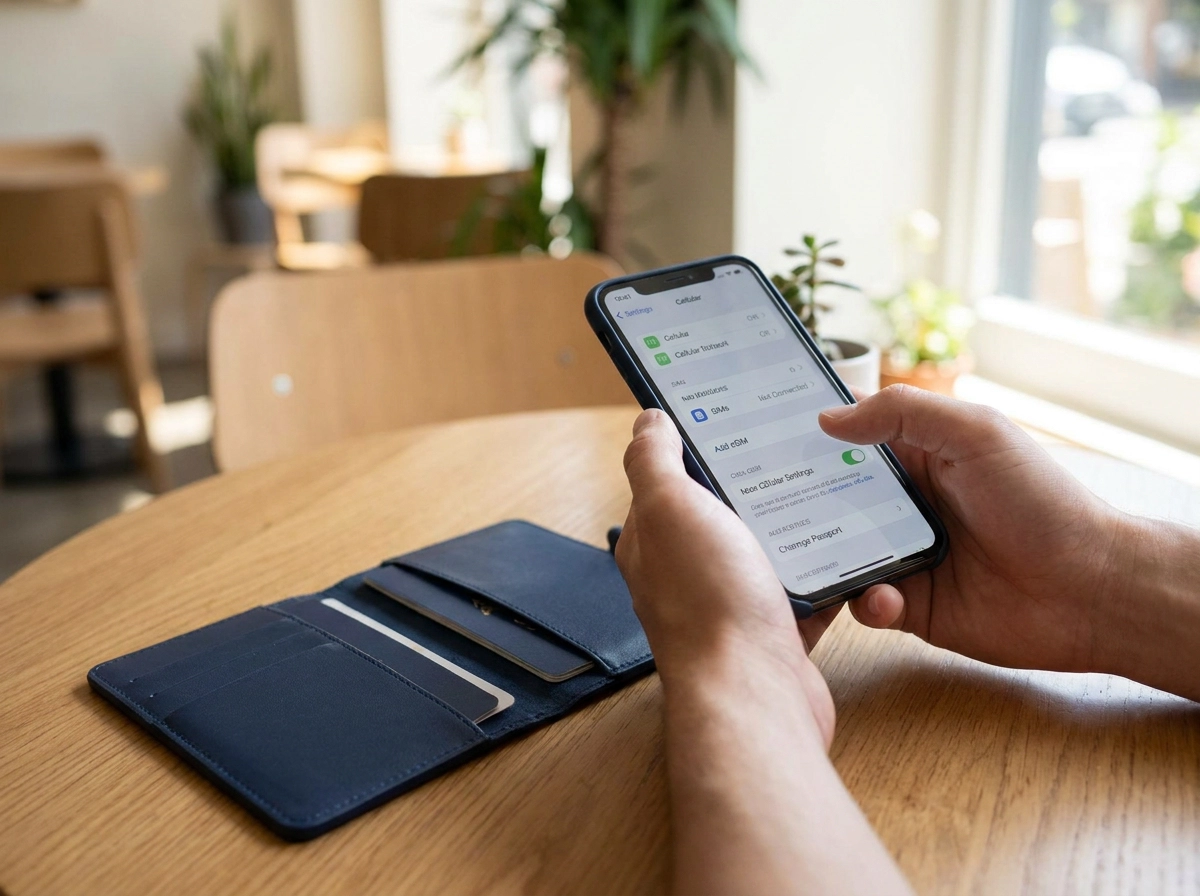
Even an unlocked phone can be the wrong phone. Three checks settle it.
Carrier lock: a handset tied to an overseas network rejects an Australian eSIM profile, the most common dead end.
eSIM support: recent iPhone, Samsung Galaxy and Google Pixel models have it; regional variants and older handsets often don’t. Check your exact model on the manufacturer’s site.
Bands and calling: EzySim runs on the Vodafone network, so confirm your phone handles local LTE and 5G bands and supports VoLTE. Without it, calls may fail while data works.
Then pick your format. EzySim offers eSIM and physical SIM; an eSIM skips the Australian postal address. Comparing costs? Our guide to the cheapest prepaid eSIM in Australia breaks it down. Dual-SIM phones can keep the home SIM for bank codes while the Australian line handles data.
Pass all three checks and you’re clear to buy.
Step 1: How to Buy an eSIM for Australia Before You Fly
With your phone confirmed eSIM-ready and unlocked, buying the plan is the easy part. You can buy an Australian prepaid eSIM weeks ahead or the night before you fly, because purchase does not require you to be in the country.
Match the plan to your stay, not just the price: data allowance, call and text inclusions, and how long it runs. EzySim’s Australia range spans 30-day prepaid plans and longer-term options such as Cool, 60GB over 90 days for $39, with unlimited Australian calls and texts on eligible plans. No lock-in contracts and flexible renewal matter for short visits, because your data needs shift once classes, work or sightseeing begin. Still deciding on format? Our eSIM vs SIM prepaid plan guide covers it.
Install the profile at home on wi-fi, following your provider’s activation steps. EzySim uses simple online activation. Save the QR code, activation link and account login somewhere offline, like a screenshot or an email draft.
Before installing anything, find out what triggers the plan clock. If the countdown starts at purchase or installation, buying early costs you days of a short plan.
Next: what has to wait until you are onshore.
Step 2: What Has to Wait Until You Are Onshore
Two things genuinely have to wait: the identity check Australian prepaid rules require, and the moment your plan starts counting down. Everything else, comparing plans, paying and installing the eSIM profile, can happen before you fly.
Sequence matters here. Start a 30-day plan a week before departure and you land with roughly a quarter of it already spent.
Set a reminder for the day before you fly so those final steps do not slip. If you would rather handle them on arrival, airport wi-fi usually gives you enough to finish how to activate an eSIM in Australia and get connected before you leave the terminal.
One caveat: your provider’s process always wins. Verification methods and activation workflows are shifting, and the ACMA guidance note on prepaid ID checks is the authority on what is currently accepted, so confirm the details at the point of purchase.
The ID Check Australia Requires Before a Prepaid Service Starts
Under Australia’s prepaid rules, a provider must collect and verify your name, address and date of birth before supplying a prepaid service. That’s why you can pay for a plan and still have nothing working minutes later.
The check has historically been document based, using a passport, Australian driver’s licence or another government-issued ID. As an inbound visitor, your passport is normally the document in play.
The regulator has moved to allow Digital ID verification, which has been reported as supporting faster activations. Operators taking that route must follow an approved compliance plan, and availability is still settling, so treat Digital ID as a possible path, not a guaranteed one. Consumer advocates want a non-digital option kept, so ask your provider what document option they accept.
For visitors, one key question isn’t settled publicly: whether Digital ID works with an overseas passport. Don’t assume it does. Check your provider’s requirements and use the ACMA as the authority on accepted methods.
Have your passport details and a matching Australian address ready before you begin. Mismatched details are a common cause of failed verification, and comparing prepaid mobile plans is a good way to use the wait.
Activation Timing and Plan Start Dates
Passing the ID check does not switch your service on. Buying and installing the eSIM is one step; activation, with its own start date, is a separate one.
Ask your provider what starts the clock: purchase, profile installation, first connection to an Australian network, or a manual activation in your account. EzySim uses online activation, so confirm the trigger before you install. If your plan starts at purchase, a 30-day plan begins ticking while you are still overseas. A longer option such as EzySim’s Cool plan (60GB over 90 days for $39) gives far more slack for early setup.
Most visitors want the plan live on landing day. Where you can choose the start date, set it for arrival. Where you cannot, buy close to departure instead.
The moment you activate, note the expiry or renewal date somewhere you will see it, so maps, banking and university logins do not go dark mid-stay. If activation misbehaves, our eSIM activation troubleshooting guide covers the usual culprits.
Step 3: Test Your Connection Before You Leave the Airport
Before you leave the terminal, prove the connection actually works.
- Switch off airplane mode, then check in your mobile settings that the eSIM line is enabled and selected for data.
- Confirm a network name appears. Your plan runs on the Vodafone network, so seeing it listed means the phone has found the network. No bars or a “no service” message means something still needs attention.
- Load something that actually needs data. Open a map, run a search or load a web page. Don’t trust the status bar.
- Test the voice side with one text and one call if your plan includes Australian calls. Unlimited Australian calls and texts on eligible plans only helps if the voice side works.
- Check your dashboard or app to confirm the plan shows as active, with the correct data balance and expiry date.
- If it fails, connect to the airport’s free Wi-Fi and rework your provider’s activation steps before leaving the terminal. Fixing it there is far easier than in a taxi with no data.
Heavy user? The EzySim Ultimate 100GB plan covers 100GB on the Vodafone 4G/5G network.
Which Checklist Applies to You: Tourists, Students and Migrants
Test call done. Now pick the checklist that fits your stay.
Short-stay visitors and tourists: a 30-day prepaid eSIM usually covers a holiday. The main risk is starting it too early, so buy late, activate on arrival, and choose an allowance that handles maps, bookings and messaging.
Students: have it live on day one for enrolment, banking and the airport run, plus a local number and a longer runway. EzySim’s Cool plan, 60GB over 90 days for $39, covers a first term without an early renewal. If you will call home, compare mobile plans with international calls in Australia.
Migrants and long-stay arrivals: plan for renewal, not just arrival. No lock-in contracts and data rollover on eligible plans matter most once the first month is behind you.
Everyone: the identity check applies to prepaid services regardless of visa or stay length, and it is the step most likely to delay activation. Give a reachable address at verification, whether that is a hostel, share house or university residence.
Five Ways Travellers End Up With a Dead Phone
Whichever group you fall into, these five mistakes are what leave travellers standing in the arrivals hall with a phone that does nothing.
- Buying but not installing. The eSIM profile sits unused in your inbox, and the arrival gate wi-fi is slow, capped or broken.
- Starting the clock too early. Activate a 30-day plan at purchase and it is a week old before you land. Match activation to arrival, or choose a longer plan.
- Assuming Digital ID covers you. The shift toward Digital ID verification is still settling, and whether an overseas passport unlocks it is not established. Do not count on it.
- Activating without offline details. No saved QR code, account password or ID details means airport wi-fi becomes a dead end.
- A locked or incompatible handset. Locked phones reject Australian eSIM profiles, and some models simply lack eSIM support. Check before you fly.
Any one of these turns a simple setup into a scramble at the terminal.
eSIM for Australia: Quick Answers
Every trap above comes down to a question.
Can I buy an Australian eSIM before I arrive? Yes. Purchase and installation work from overseas. The identity check and plan start date need sequencing.
Is an eSIM the same as an Australian phone number? No. An eSIM is just the SIM format; an Australian number depends on the plan, so check the details.
Do tourists need Australian ID to activate a prepaid eSIM? The prepaid rules require your name, address and date of birth to be verified. A passport has historically been the usual document for visitors, but confirm the accepted list with your provider.
Is a travel eSIM for Australia cheaper than roaming? Roaming on a home plan is normally billed at a premium, while a local prepaid plan is priced for Australian use. Compare the two before you fly.
How early should I set this up? If your plan starts at purchase, buy within the last week. Buy earlier only if your provider separates installation from activation.
Your Next Step
So, with the questions out of the way, here is the whole process in one line: check your phone, buy the plan, install the eSIM, and leave the identity check and activation until you are onshore or sitting in the terminal.
Before you pay, confirm two things with your provider: what actually triggers the plan start date, and which ID documents they accept.
Then keep your QR code, account login and passport details saved somewhere you can reach offline for the whole trip.
If you want a plan with no lock-in contracts and flexible renewal, EzySim’s prepaid eSIM and SIM options activate online, with unlimited Australian calls and texts on eligible plans and data rollover on eligible plans.
Finally, test data, a call and your balance at the airport before you leave the terminal. Five minutes there beats an hour of panic in a taxi.
Conclusion
Setting up an Australian prepaid eSIM before you land comes down to preparation and timing. First, confirm your phone supports eSIM and is unlocked. Second, buy and install your plan before you fly, but confirm what triggers the plan start date. Third, leave the Australian ID check and activation until you are onshore or in the terminal. Fourth, test data, a call and your balance before leaving the airport.
Your next step is simple: check your phone, then compare EzySim’s flexible prepaid plans, including 30-day or long-term options with generous data, unlimited Australian calls and texts, and no lock-in contracts. Keep your QR code, account login and passport details saved offline. With the setup done early, you can land, connect and start your trip with confidence.
Frequently Asked Questions
Can I buy an Australian eSIM before I arrive?
Yes. You can buy an Australian prepaid eSIM weeks ahead or the night before you fly, because purchase does not require you to be in the country. Installing the profile can also be done at home on wi-fi, following your provider's activation steps.
What has to wait until I arrive in Australia?
Two things must wait until you are onshore: the identity check that Australian prepaid rules require, and the moment your plan starts counting down. Comparing plans, paying and installing the eSIM profile can all happen before you fly.
What ID do I need to activate a prepaid eSIM in Australia?
Under Australia's prepaid rules, a provider must collect and verify your name, address and date of birth before supplying a prepaid service. The check has historically been document based, and as an inbound visitor your passport is normally the document in play. Confirm the accepted methods with your provider and the ACMA, since Digital ID availability for overseas passports is not settled publicly.
How do I know if my phone will work with an Australian travel eSIM?
Run three checks: confirm your phone is not carrier locked to an overseas network, confirm it supports eSIM by checking your exact model on the manufacturer's site, and confirm it handles Australian LTE and 5G bands and supports VoLTE so calls work. Pass all three before you buy.
How do I make sure my eSIM works before I leave the airport?
Switch off airplane mode and check that the eSIM line is enabled and selected for data. Confirm a network name appears, load something that needs data, test one text and one call if your plan includes Australian calls, and check that your dashboard or app shows the plan as active with the correct balance and expiry date. If it fails, use the airport's free Wi-Fi to rework the activation steps before leaving the terminal.